My content is reader-supported by awesome people like you. Which means I could earn a commission. Learn more here!
Let’s go ahead and check out all the free trials Shopify has to offer.
I always find it amazing sometimes when I run across a new free trial
On top of that
I love to maximize a free trial when testing a platform out.
Afterall:
If we’re eventually getting our wallets out to invest in our new eCommerce platform
We might as well enjoy it for as long as we can before we get it on out.
Let’s go ahead and look at some popular topics around Shopify’s free trial
Also:
Maximizing this bad boy.
And:
Ways to extend your basic 14-day free trial.
Shopify Free Trial Summary
| 14-Day Free Trial | No longer active |
| 3 day Free Trial followed by $1 a month for 3 months | No longer active |
| 3 day Free Trial followed by $1 a month for 1 month | The current deal happening |
| Shopify 1mBB (Black Businesses) 120-Day Free Trial | Can start here for this |
| First month for $1 | Active and can start here (Must select plan) |
| 60-day Shopify Free trial | Not available |
| 21 Day Trial | Not available |
| Shopify POS Free Trial | 3 Days Free, Then $1 a month for 3 months, then a 6-month discount after. Crazy deal! |
| Side Note | Free trial options can change fast |
Let’s Do The Onboarding Process (To See The Free Trial Selection Method)
Will talk all about each one but let’s go ahead and log in and I’ll show you at the end of the day where you take advantage of the free trials and free trial extensions.
I’m gonna start at the main page of Shopify
From here were gonna plug in my email address
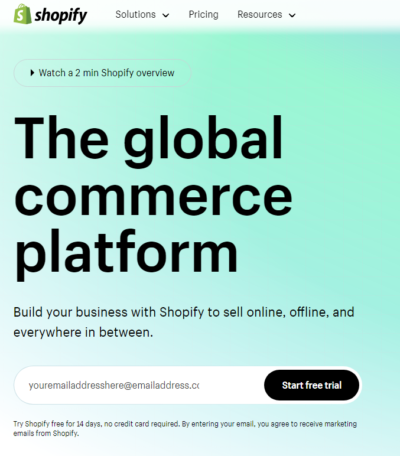
From here you will be asked a few questions about your store that I recommend answering.
Once you’re in the dashboard it should look like this.
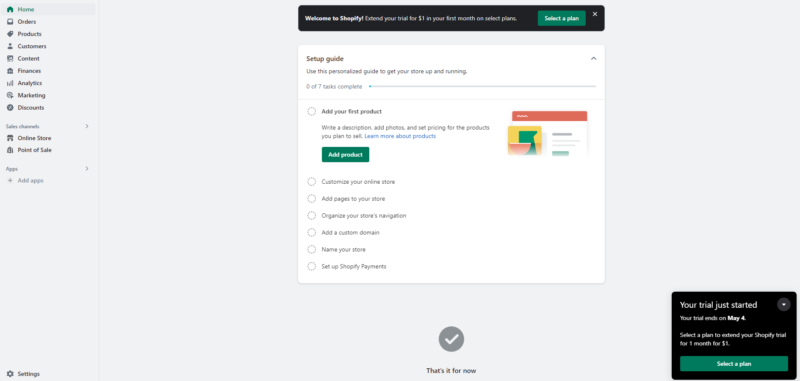
And you will actually see there are 2 spots asking you to select a plan at the moment.
The main route through without the marketing pop-ups involved will be by clicking the setting in the bottom left corner and selecting the plan and then choosing a plan
They all lead to the same screen which is this one.
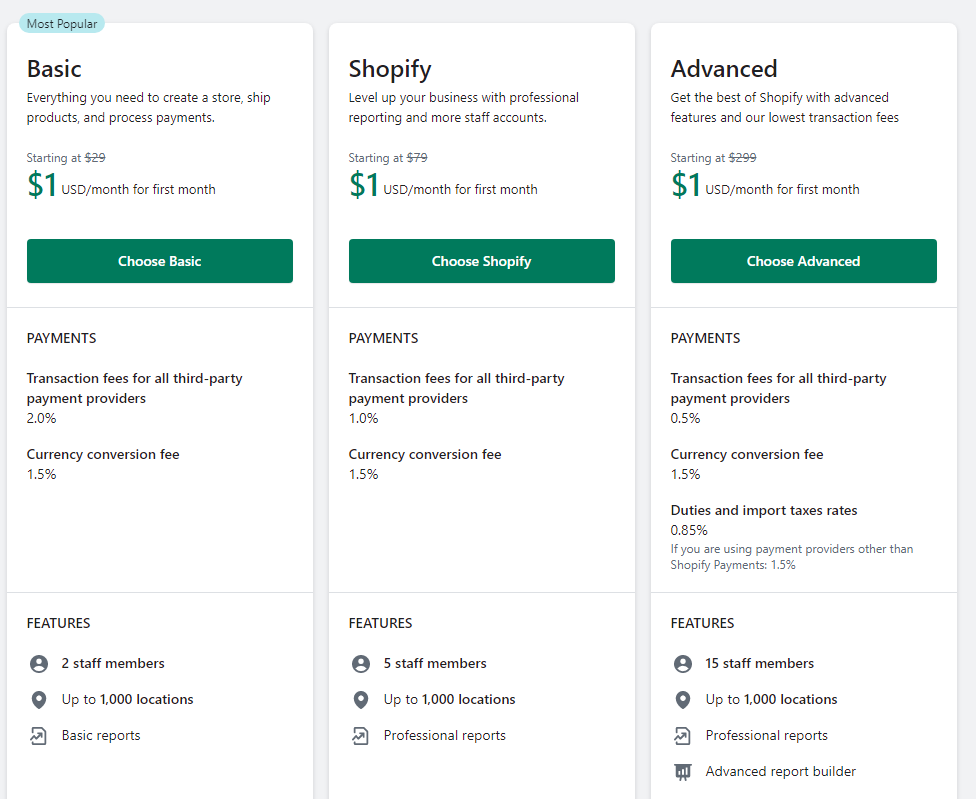
Just click the Basic plan which is a great spot to start and then it will show you a screen like this.
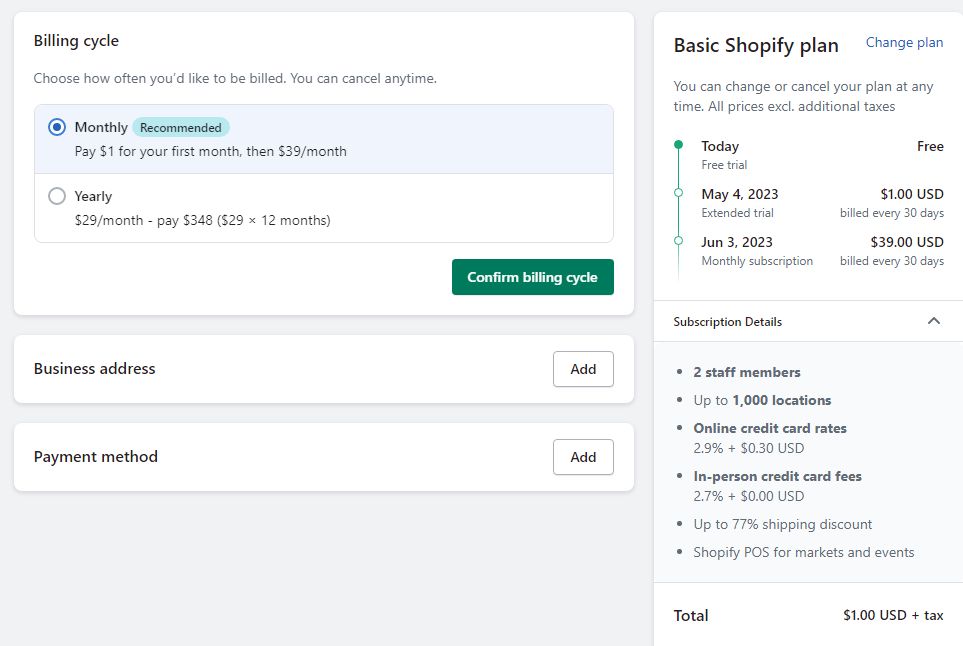
Pay attention close here because it’s showing which one it recommends which works out to a small discount.
After year 1 then you can start doing annual or multi-years if that deal comes back too.
Well, there you have a nice run-through of the free trial and sign-up for a planning process.
Keep in mind too with the basic free trial you don’t have to do this you can just start testing Shopify out.
Shopify POS Free Trial (Plus An Extended Discount)
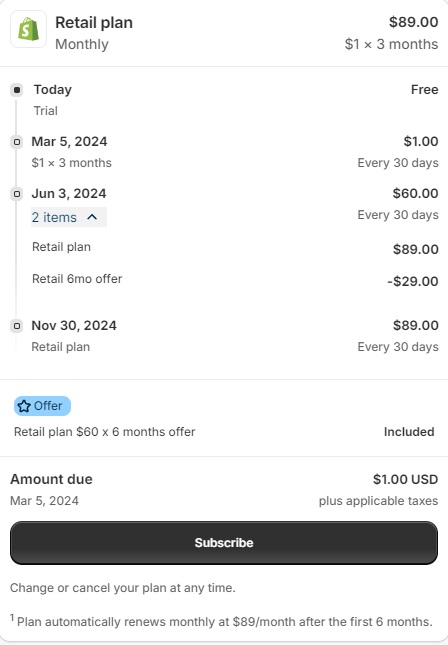
The basic 3-day free trial will be there.
Then
You’re getting first of all 3 months at $1 monthly.
Then the next 6 months will be discounted to $60 monthly after this you will pay $89 monthly every 30 days.
Looks like an average of $52.50 over 12 months when you break it fully down.
14-Day Free Trial – No longer active
For a while, the 14-day free trial was replaced by the 3-day free trial.
I just logged in and realized the 14-day free trial is back in the house.
I’m gonna be honest I didn’t see this coming but here it is.
Shopify 90-Day Free Trial – Not Active
This free trial was huge during COVID
I personally can’t find anything more about this myself.
So I consider this one over for now.
Shopify Free Trial For Black-Owned Businesses For 120 Days
This is a pretty low-key free trial
Shopify has a 1 million black business goal.
What is this exactly?
The One Million Black Business & Black Entrepreneurship Initiative (1MBB) was created by Shopify and Operation Hope to help remove more of the traditional barriers to Black entrepreneurship by providing tools, resources, and education.
Keep in mind you can’t get the extended trial if you already have signed up.
Also, this applies to the costs of the store too.
There still will be transaction fees for all your sales.
Here are a few key things you will get access to as well.
- Access to Shopify’s Build Black Programming
- Education content and programming including workshops and webinars
- 1 on 1 coaching and mentoring through Operation Hope
Overall this is an amazing offer and one of the best deals I’ve ever seen combined with something that is amazing.
If anybody used this too I’d love to hear your comments below on the 1 on 1 coaching and mentoring through Operation Hope
Just in FYI too when you sign up just below give it about 2 minutes to receive the email stating it’s applied for your 120-day free trial
Let’s walk through this setup really quick
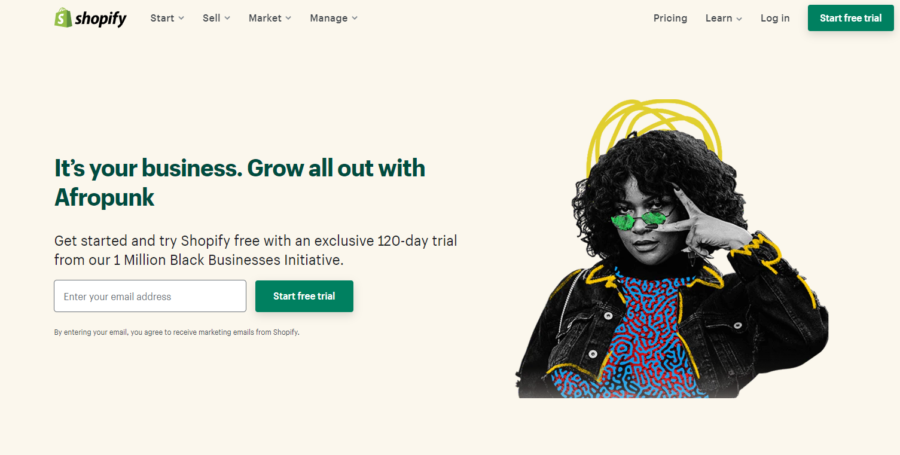
First, you want to go to the main page for the 1 million black business initiative
And it’s going to look like the main picture just above.
Or similar
Enter your email address to get started.
It’s going to walk you through a simple onboarding process just like any other store.
Looks similar to this.
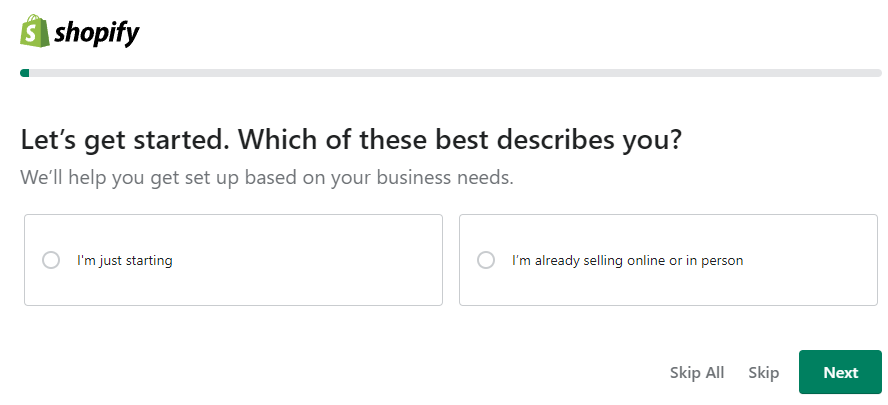
Mae sure too you’re answering each one to get a custom Shopify dashboard to help you succeed the most.
It’s about 5 questions in total.
Once you’re in you’re going to see something similar to this.
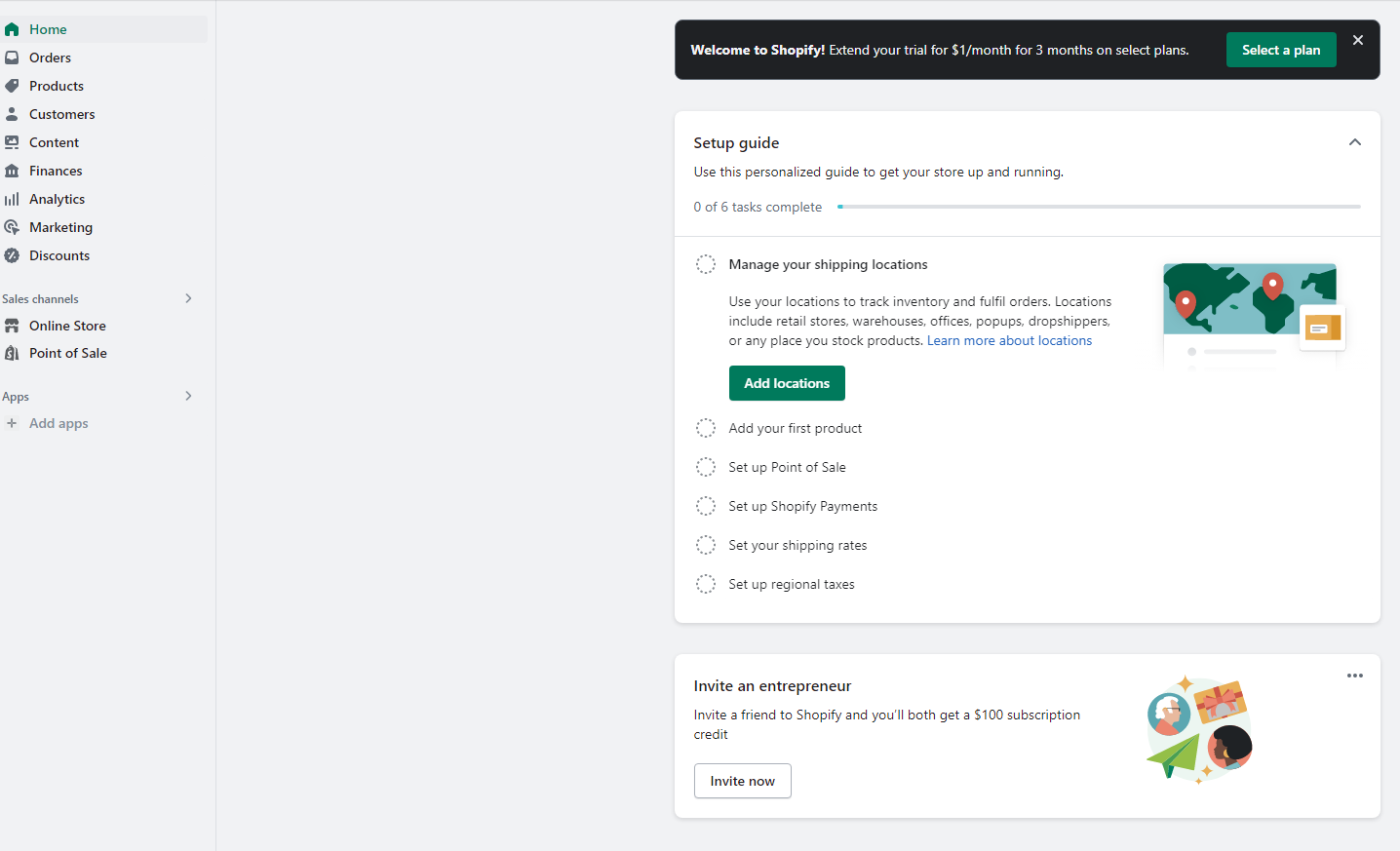
Let’s go ahead now and go to plans and see if you’re discount is applied.
You’re going to see 1 or 2 buttons on the main page stating select a plan so you can go ahead and click that too.
Or, the basic navigation route is going to be by clicking the settings button which should be on the bottom left.
You will then see an option for a plan
And under the next billing date is where you should see you’re new trial period.
really quick side note:
It seems while you’re doing the onboarding process there is a good chance you have already received the email like this.
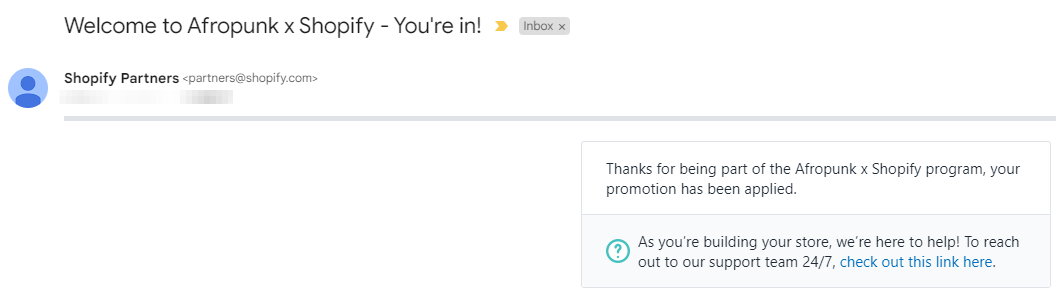
Ok, anyways.
under plans, you should be seeing a free trial with 119 days left since it’s not counting today.
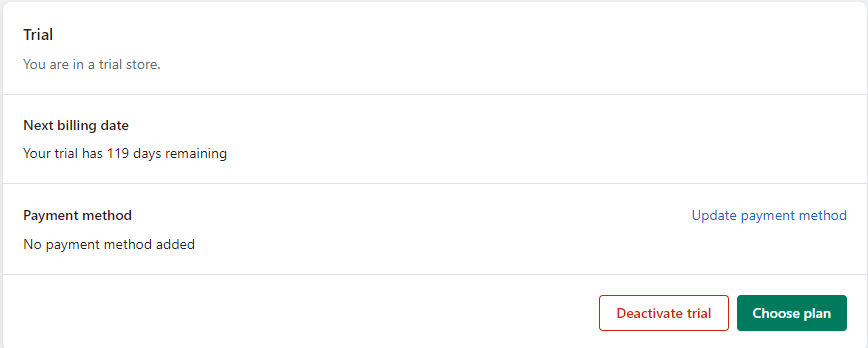
Now one thing too you can do is already choose a plan if you want during this trial so that you can get selling within it.
One huge feature I really like about Shopify.
Shopify 44-day free trial
You might be seeing this when you’re researching Shopify free trials.
But keep in mind it’s adding up the 14-day free trial and assuming you get a refund of the first 30 days.
And also know,
You are not getting a 30-day refund based on the Shopify terms of service
Shopify 60-day free trial
This is a free trial you would have seen back in 2019 targeted to exclusive partners.
You would have seen a customized landing page on their website offering it too.
You can still find a ton of references to it but it’s no longer a valid free trial offered.
Shopify trial until 50 orders
I’ve dug into this and seems like a myth or offered at a time I’m not aware of.
I think what this one is talking about is where you can create a Shopify development store and have 50 test orders.
But running a store this way I believe would violate Shopify’s TOS.
I’d recommend not going this route at all.
3 day Free Trial followed by $1 a month for 1 month – Active
Currently they took down the 3 months for a dollar and turned it into 1 month.
This is common as they test out what they need to provide to convert everyone into paying too.
Pay attention as you log in though because these can change at anytime or they may extend it for you too.
3 Day free trial followed by 3 months of Shopify for $1/month (Not Free But Close To It) – Not Active

This one gets me excited.
You are going to want to click here.
Then:
At the top of the page, you will see a banner to click to sign up for this.
Once you logged in you will be able to select a Basic Shopify Plan for this price.
This is an active option Shopify is offering with no end date.
Also:
Yes, I’m aware not totally free but worth mentioning.
1 month of Shopify For $1 – Not active
Should see a banner like this at the top just an FYI

I personally didn’t expect the first 3 months of Shopify for $1 to end.
But, it has now been changed to the first month for $1 on select plans.
The select plans are still for Basic, Shopify, and Advanced.
How to get the most out of your Shopify free trial?
Really maximizing the free trial is what gets you on the right track for your eCommerce store.
I’ve found that with Shopify that it offers a ton of insight when you are doing the onboarding process for your free trial.
So one of the first things you want to do is fill out the questions during the onboarding process.
And these questions are asked right after you entered your email address to get started.
They look like this.
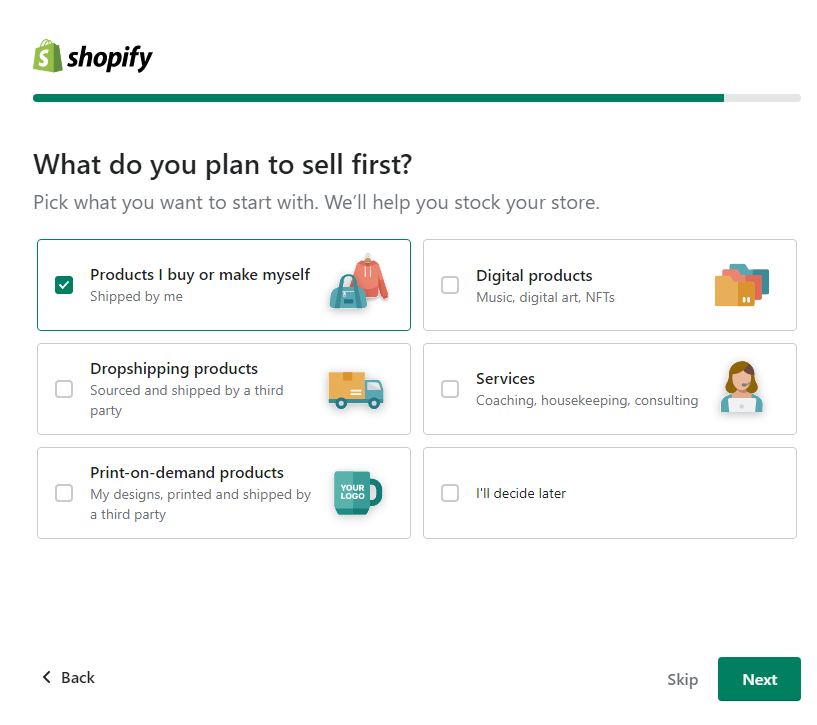
The reason behind this is that Shopify is building your dashboard while you answer it.
You don’t want to log in for the first time and it does not match your needs.
If your goal is to build a dropshipping website but you selected products I buy or make myself like I did above you might be pointed in the wrong direction.
Check out my Shopify dashboard once I’m logged in.
Notice anything?
I have a set-up guide walking me through everything I should be doing first.
A few things such as
- Customizing my online store
- Organizing your store’s navigation.
- Naming my store
- Setting up Shopify Payments
- Adding pages and adding products
These steps are put in place for a reason and you want to get ahead and get started.
What is included in the Shopify Free Trial?
One thing to keep in mind is that all the settings are available during your free trial.
You just can’t sell products and take your website live until you select a paid plan.
But, keep in mind.
If you are on a let’s say 14-day free trial or a 120-day free trial just because you selected a plan doesn’t mean you can’t cancel it before the end of your free trial.
So, you can make everything active to sell and take you’re site fully live.
Canceling your Shopify Trial Or Plan
One thing I enjoy is Shopify makes it simple to cancel you’re plan or deactivate your free trial.
Just go under settings and select “plan: and you will see a button to cancel.
here is one showing me the ability to deactivate the trial.
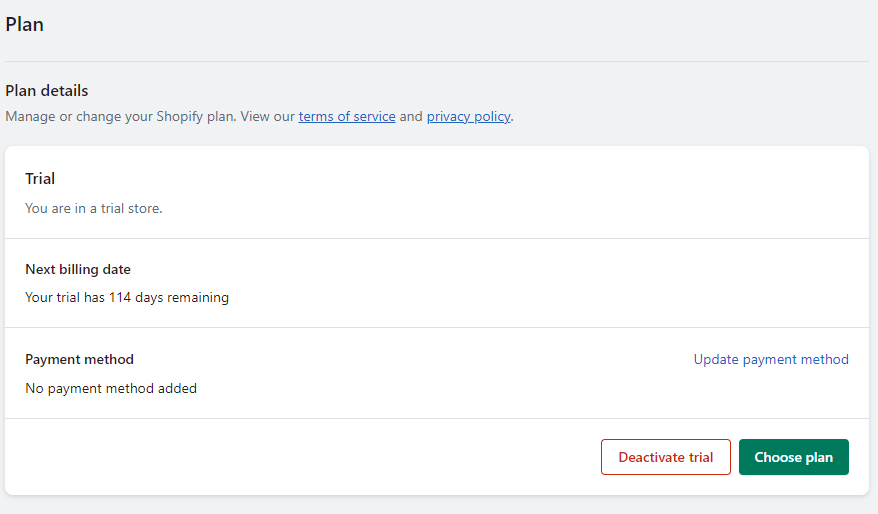
One nice thing I like to see is it shows your next billing date if you selected a plan just in case you changed your mind and wanted to keep it open for a few more days.
Just one thing to remember is they will ask you a few questions and you will have to enter your password to do this.
Which Shopify Plan should I choose after my free trial?
Personally, I’d say go these 2 routes to get started.
1 if you are selling just online on your own platform or social media I think the Shopify Starter plan is going to be a solid route for you.
I’d say the main route at a very fair cost and solid for entry-level and more is the Shopify Basic plan.
It’s most likely going to cover everything you want and it’s a price that’s fair.
I wouldn’t get so caught up in it if you really want to move forward on it either.
Just get started.
This Shopify and Shopify Advanced are gonna be key as your volume of sales grows and your customer base grows.
Is it possible to extend your free trial?
There are cases where you can extend it for valid reasons.
The easiest route to take to do this is by contacting customer support and chatting with them and helping them understand why you need to extend it.
I will say one other route you could take on your own is utilizing a Shopify Development partner or signing up for the partner program and making a development store and then transferring it to yourself.
Keep in mind you would have to get approved to join this too.
I’m not personally certain I’d want to do all of this.
But, that’s me.
What happens when my Shopify free trial ends?
So, if you forgot to select a plan before it ended it’s going to take away your access to the backend/admin store dashboard.
One plus is you can actually still pick a plan to regain access.
You will have 30 days until all your data is removed from Shopify
One other option you have to is to pause your store and it allows you to continue to work on it for $9 monthly.
What are the benefits of using a Shopify free trial and the extended trials
An extended Shopify free trial can serve as your sneak peek into the toolbox that might just help you crack the code.
Here’s why giving yourself this runway can be a game-changer:
Adequate Time to Dive Deep
First things first, time is a luxury in the fast-paced e-commerce arena.
An extended free trial gifts you with that extra breathing room to really get under the hood of Shopify.
You’ve got the chance to understand its features inside and out, minus the pressure of a ticking clock.
This means crafting your store’s look and feel, experimenting with inventory management, and finessing the checkout experience without the rush.
Risk-Free Experimentation
Let’s be real, experimentation is the cornerstone of creativity and innovation.
The extended trial period is your sandbox.
Whether it’s trying out different themes to see which resonates with your brand or playing around with app integrations to streamline operations, you can do it all without the fear of making costly mistakes.
This is your time to test, learn, and iterate.
Building the Foundation
Building an e-commerce store is more than just setting up shop; it’s about laying down a strong foundation.
During an extended trial, you can focus on essential SEO practices, create compelling content, and ensure your site architecture is as user-friendly as an afternoon stroll in the park.
Getting these right from the get-go can set you up for long-term success.
Gathering Valuable Data
An extended trial isn’t just about setting up; it’s also about seeing how your potential customers interact with your store.
Use this time to gather data on user behavior, which products are getting the most attention, and where your site might be losing interested customers.
This info is gold dust for making informed decisions moving forward.
Cost-Effective Learning Curve
Finally, who doesn’t appreciate a financial breather?
An extended Shopify trial allows you to navigate the initial learning curve without the added pressure of subscription costs.
This period can be particularly valuable if you’re bootstrapping your business or reallocating resources to other critical areas like product development or marketing.
In essence, an extended Shopify free trial is like being given the keys to a car and an open road ahead of you.
It’s a chance to test drive your dreams with the safety net of knowing you can always park the car without any cost if it doesn’t suit your journey.
So, make the most of this opportunity.
Explore, experiment, and empower yourself with the knowledge and insights to build an eCommerce store that not only looks beautiful but functions seamlessly, driving growth and customer satisfaction.
Let’s turn those digital dreams into reality, one step at a time.
Shopify Free Trial FAQ
What happens at the end of my Shopify free trial?
Your Shopify account will be frozen. You will have 30 days to pay for a plan before all your data is removed.
How do I cancel my Shopify free trial?
You can go to Shopify admin, then settings, then plan and click cancel subscription.
How do I reset my free trial?
There is no actual way to reset it. You can reach out and ask for an extension of your current free trial.
Is a credit card required during my Shopify free trial?
You don’t have to enter a credit card at all. That won’t be needed until you select a plan
Can I sell products during my Shopify free trial?
You can’t start selling products until you select a plan. After doing this you can start selling right away without paying anything until your free trial period has ended.
My Final Thoughts On Free Trials Offered By Shopify
Tons of different Shopify free trials talked about right?
To me, you’re going to always see new ones popping up or ones talked about.
I personally always look for indicators too such as economic conditions and how Shopify performs for its shareholders.
If they are doing great probably no reason to offer as much.
But:
If they are doing badly they might have to look at ways to get people in.
If I was personally going right now I feel the 3-day free trial they offer is the easiest route.
When that’s close to ending just reach out to Shopify and ask for an extension.
